
Power tools like drills, sanders, and scroll saws can make... Mostrar más
 Irish
Irish English
Inscríbete para ver los apuntes¡Es gratis!
Acceso a todos los documentos
Mejora tus notas
Únete a millones de estudiantes
Knowunity AI
Asignaturas
Triangle Congruence and Similarity Theorems
Triangle Properties and Classification
Linear Equations and Graphs
Geometric Angle Relationships
Trigonometric Functions and Identities
Equation Solving Techniques
Circle Geometry Fundamentals
Division Operations and Methods
Basic Differentiation Rules
Exponent and Logarithm Properties
Mostrar todos los temas
Human Organ Systems
Reproductive Cell Cycles
Biological Sciences Subdisciplines
Cellular Energy Metabolism
Autotrophic Energy Processes
Inheritance Patterns and Principles
Biomolecular Structure and Organization
Cell Cycle and Division Mechanics
Cellular Organization and Development
Biological Structural Organization
Mostrar todos los temas
Chemical Sciences and Applications
Atomic Structure and Composition
Molecular Electron Structure Representation
Atomic Electron Behavior
Matter Properties and Water
Mole Concept and Calculations
Gas Laws and Behavior
Periodic Table Organization
Chemical Thermodynamics Fundamentals
Chemical Bond Types and Properties
Mostrar todos los temas
European Renaissance and Enlightenment
European Cultural Movements 800-1920
American Revolution Era 1763-1797
American Civil War 1861-1865
Global Imperial Systems
Mongol and Chinese Dynasties
U.S. Presidents and World Leaders
Historical Sources and Documentation
World Wars Era and Impact
World Religious Systems
Mostrar todos los temas
Classic and Contemporary Novels
Literary Character Analysis
Rhetorical Theory and Practice
Classic Literary Narratives
Reading Analysis and Interpretation
Narrative Structure and Techniques
English Language Components
Influential English-Language Authors
Basic Sentence Structure
Narrative Voice and Perspective
Mostrar todos los temas
1
•
Actualizado May 11, 2026
•
Power tools like drills, sanders, and scroll saws can make... Mostrar más
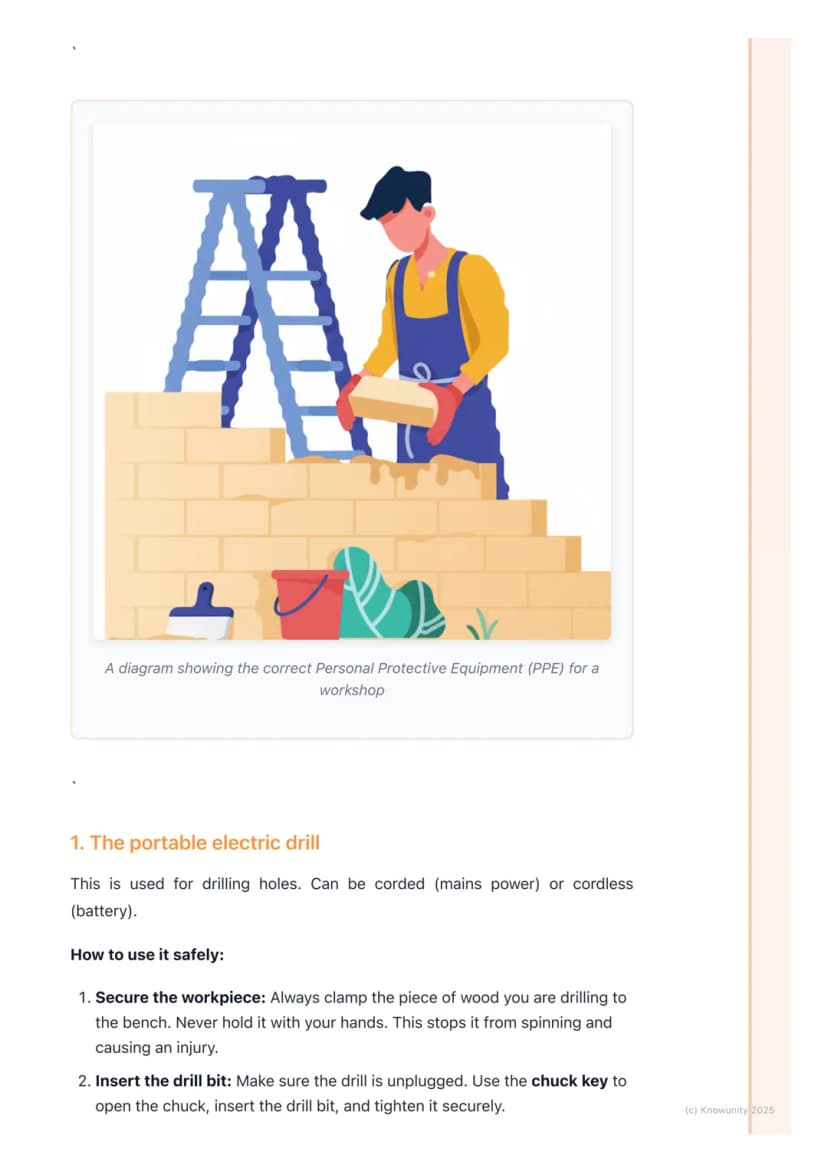
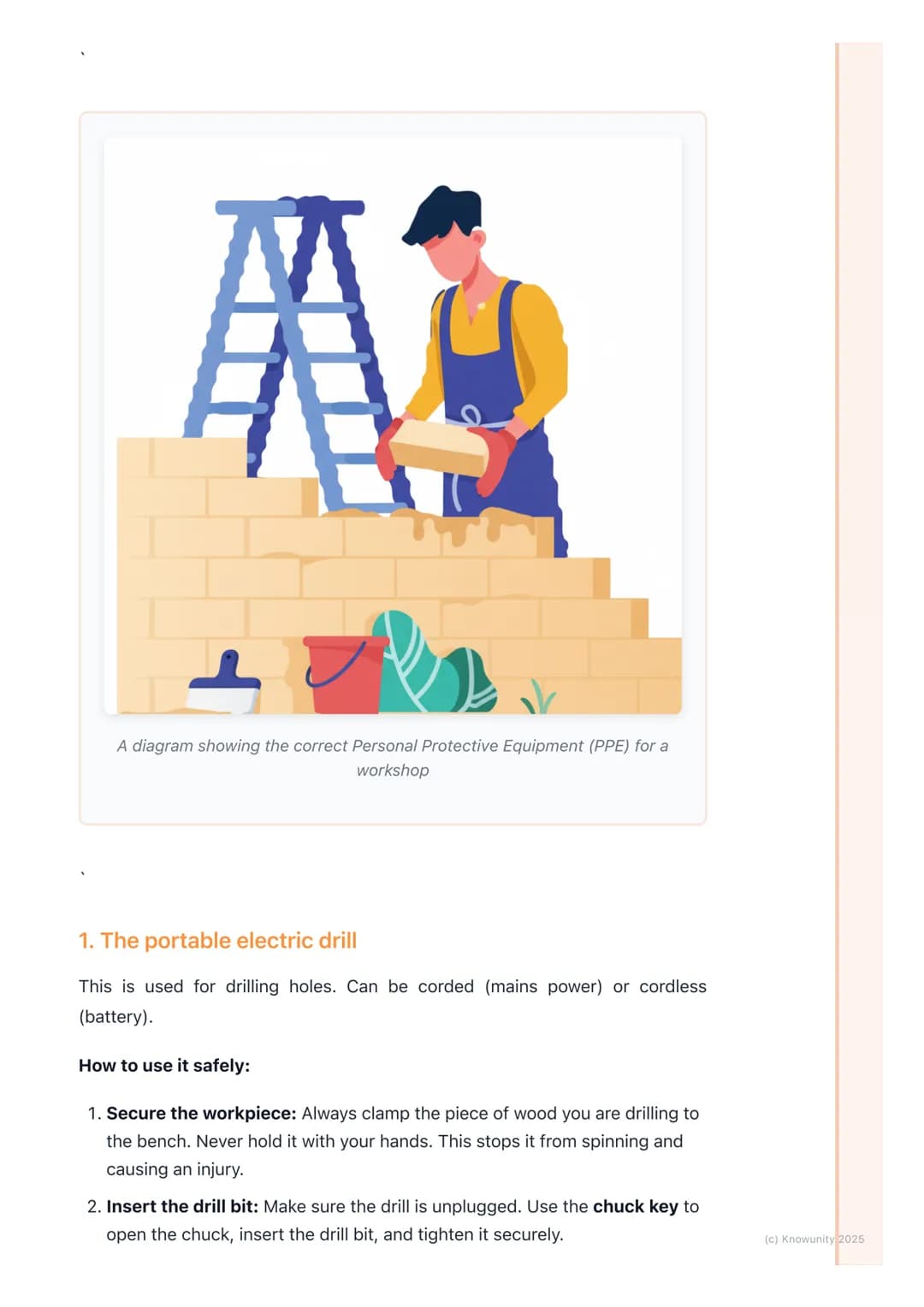
Workshop accidents happen in seconds, but following basic safety rules can prevent most of them. Personal Protective Equipment (PPE) is your first line of defence - safety glasses are absolutely essential, and you'll often need dust masks and ear defenders too.
Before touching any power tool, you need to understand what you're looking at. The guard is the protective cover over dangerous parts like blades - never remove or mess with it. Mains power tools are much more powerful than battery ones, so they need extra respect.
Kickback is when a tool suddenly jerks back towards you - this can break bones or worse. It usually happens when the tool gets jammed, so knowing how to prevent it could save you from a trip to A&E.
Remember: Every power tool accident could have been prevented by following basic safety rules. Taking shortcuts isn't worth the risk.
Drills might look simple, but they cause loads of workshop injuries when people get careless. The golden rule is simple: always clamp your workpiece to the bench. Holding wood with your hands whilst drilling is asking for a broken wrist when the drill catches.
The chuck key is your biggest safety concern with drills. After tightening your drill bit, you must remove the chuck key completely. If you forget and start the drill, that key becomes a high-speed projectile that could seriously hurt someone.
When you're actually drilling, start slowly to create a pilot hole, then increase speed gradually. Apply steady pressure but don't force it - let the drill do the work. As you're about to break through the other side, ease off to prevent splintering.
Top tip: Get into the habit of looking for the chuck key every time before you start drilling. It only takes one mistake to cause a serious accident.
Orbital sanders create clouds of fine dust that can damage your lungs, so always wear a dust mask. Like with drilling, clamp your work securely and keep the sander flat on the surface before switching on. Move slowly with the grain - rushing just creates scratches and uneven surfaces.
The scroll saw looks innocent but that fine blade moves incredibly fast. The safety guard and hold-down foot aren't suggestions - they're essential for keeping your fingers attached. Always check the blade is properly tensioned and pointing downwards before starting.
When using the scroll saw, guide the wood with both hands and keep your fingers well away from the blade path. Don't force tight turns or you'll snap the blade. If it does break, switch off immediately and get your teacher - never try to fix it yourself.
Safety check: If you can't see exactly where your fingers are at all times, you're working too close to danger zones.
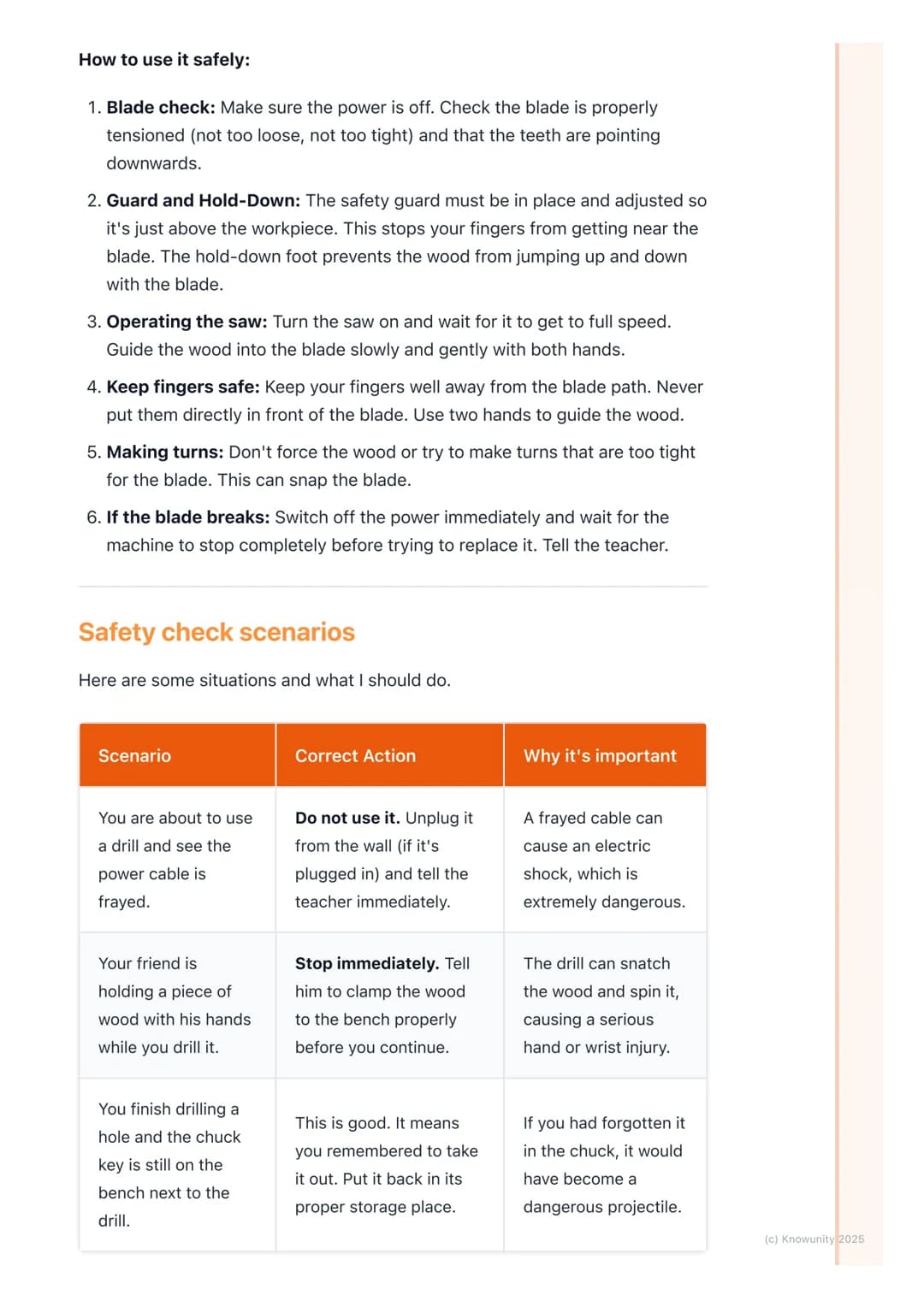
Recognising dangerous situations before accidents happen separates safe workers from accident statistics. If you spot a frayed power cable, don't even think about using that tool - unplug it and tell your teacher immediately. Electric shock can kill, and damaged cables are how it happens.
Your mates might try to rush jobs by holding wood instead of clamping it, but don't be tempted to join in. When a drill catches and spins the workpiece, hand injuries are brutal and often permanent. Taking 30 seconds to set up clamps properly isn't worth arguing about.
Concentration is just as important as protective equipment. Chat with friends before or after using power tools, not during. One moment of distraction whilst operating machinery can lead to injuries that change your life forever.
Real talk: Workshop accidents often happen to people who think they're too experienced to get hurt. Overconfidence kills - stay alert every single time.
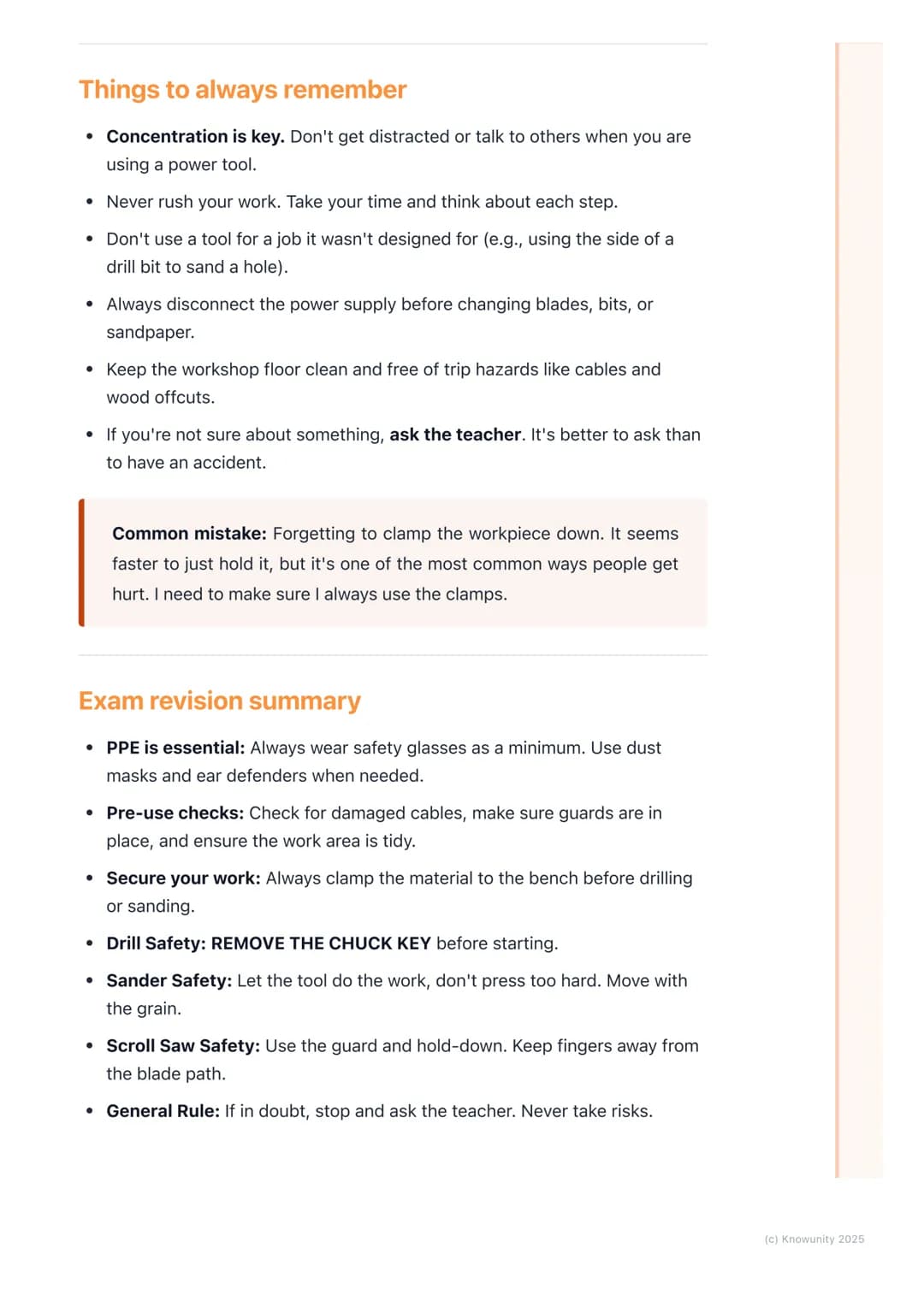
Never use any power tool for jobs it wasn't designed for - creativity in the workshop often leads to accidents. Always disconnect the mains power before changing bits, blades, or sandpaper. This simple step prevents tools from accidentally starting whilst your hands are near moving parts.
Keep your workspace clean and organised. Trailing cables and wood offcuts on the floor aren't just messy - they're trip hazards that can send you stumbling into machinery. Take two minutes to tidy up; it could prevent a lifetime of regret.
When in doubt, ask questions. Your teacher would much rather explain something twice than deal with an injured student. There's no such thing as a stupid safety question, but there are definitely stupid risks that aren't worth taking.
Exam focus: Remember the big three - clamp your work, remove chuck keys, and wear proper PPE. These simple rules prevent most workshop accidents.
Nuestro compañero de IA está específicamente adaptado a las necesidades de los estudiantes. Basándonos en los millones de contenidos que tenemos en la plataforma, podemos dar a los estudiantes respuestas realmente significativas y relevantes. Pero no se trata solo de respuestas, el compañero también guía a los estudiantes a través de sus retos de aprendizaje diarios, con planes de aprendizaje personalizados, cuestionarios o contenidos en el chat y una personalización del 100% basada en las habilidades y el desarrollo de los estudiantes.
Puedes descargar la app en Google Play Store y Apple App Store.
¡Sí lo es! Tienes acceso totalmente gratuito a todo el contenido de la app, puedes chatear con otros alumnos y recibir ayuda inmeditamente. Puedes ganar dinero utilizando la aplicación, que te permitirá acceder a determinadas funciones.
App Store
Google Play
La app es muy fácil de usar y está muy bien diseñada. Hasta ahora he encontrado todo lo que estaba buscando y he podido aprender mucho de las presentaciones. Definitivamente utilizaré la aplicación para un examen de clase. Y, por supuesto, también me sirve mucho de inspiración.
Pablo
usuario de iOS
Esta app es realmente genial. Hay tantos apuntes de clase y ayuda [...]. Tengo problemas con matemáticas, por ejemplo, y la aplicación tiene muchas opciones de ayuda. Gracias a Knowunity, he mejorado en mates. Se la recomiendo a todo el mundo.
Elena
usuaria de Android
Vaya, estoy realmente sorprendida. Acabo de probar la app porque la he visto anunciada muchas veces y me he quedado absolutamente alucinada. Esta app es LA AYUDA que quieres para el insti y, sobre todo, ofrece muchísimas cosas, como ejercicios y hojas informativas, que a mí personalmente me han sido MUY útiles.
Ana
usuaria de iOS
Solía tener dificultades para completar mis tareas a tiempo hasta que descubrí Knowunity, que no solo facilita subir mi propio contenido sino que también proporciona excelentes resúmenes que hacen mi trabajo más rápido y eficiente.
Thomas R
usuario de iOS
Siempre era un desafío encontrar toda la información importante para mis tareas – desde que comencé a usar Knowunity, puedo simplemente subir mi contenido y beneficiarme de los resúmenes de otros, lo que me ayuda mucho con la organización.
Lisa M
usuario de Android
A menudo sentía que no tenía suficiente visión general al estudiar, pero desde que comencé a usar Knowunity, eso ya no es un problema – subo mi contenido y siempre encuentro resúmenes útiles en la plataforma, lo que hace mi aprendizaje mucho más fácil.
David K
usuario de iOS
¡La app es buenísima! Sólo tengo que introducir el tema en la barra de búsqueda y recibo la respuesta muy rápido. No tengo que ver 10 vídeos de YouTube para entender algo, así que me ahorro tiempo. ¡Muy recomendable!
Sara
usuaria de Android
En el instituto era muy malo en matemáticas, pero gracias a la app, ahora saco mejores notas. Os agradezco mucho que hayáis creado la aplicación.
Roberto
usuario de Android
Solía ser muy difícil reunir toda la información para mis presentaciones. Pero desde que comencé a usar Knowunity, solo subo mis notas y encuentro increíbles resúmenes de otros – ¡hace mi estudio mucho más eficiente!
Julia S
usuario de Android
Siempre estaba estresado con todo el material de estudio, pero desde que comencé a usar Knowunity, subo mis cosas y reviso los geniales resúmenes de otros – realmente me ayuda a manejar todo mejor y es mucho menos estresante.
Marco B
usuario de iOS
LOS QUIZZES Y FLASHCARDS SON SÚPER ÚTILES Y AMO Knowunity AI. TAMBIÉN ES LITERALMENTE COMO CHATGPT PERO MÁS INTELIGENTE!! ME AYUDÓ CON MIS PROBLEMAS DE RÍMEL TAMBIÉN!! Y CON MIS MATERIAS REALES OBVIO! 😍😁😲🤑💗✨🎀😮
Sarah L
usuario de Android
Antes pasaba horas buscando en Google materiales escolares, pero ahora solo subo mis cosas a Knowunity y reviso los útiles resúmenes de otros – me siento mucho más seguro cuando me preparo para los exámenes.
Paul T
usuario de iOS
La app es muy fácil de usar y está muy bien diseñada. Hasta ahora he encontrado todo lo que estaba buscando y he podido aprender mucho de las presentaciones. Definitivamente utilizaré la aplicación para un examen de clase. Y, por supuesto, también me sirve mucho de inspiración.
Pablo
usuario de iOS
Esta app es realmente genial. Hay tantos apuntes de clase y ayuda [...]. Tengo problemas con matemáticas, por ejemplo, y la aplicación tiene muchas opciones de ayuda. Gracias a Knowunity, he mejorado en mates. Se la recomiendo a todo el mundo.
Elena
usuaria de Android
Vaya, estoy realmente sorprendida. Acabo de probar la app porque la he visto anunciada muchas veces y me he quedado absolutamente alucinada. Esta app es LA AYUDA que quieres para el insti y, sobre todo, ofrece muchísimas cosas, como ejercicios y hojas informativas, que a mí personalmente me han sido MUY útiles.
Ana
usuaria de iOS
Solía tener dificultades para completar mis tareas a tiempo hasta que descubrí Knowunity, que no solo facilita subir mi propio contenido sino que también proporciona excelentes resúmenes que hacen mi trabajo más rápido y eficiente.
Thomas R
usuario de iOS
Siempre era un desafío encontrar toda la información importante para mis tareas – desde que comencé a usar Knowunity, puedo simplemente subir mi contenido y beneficiarme de los resúmenes de otros, lo que me ayuda mucho con la organización.
Lisa M
usuario de Android
A menudo sentía que no tenía suficiente visión general al estudiar, pero desde que comencé a usar Knowunity, eso ya no es un problema – subo mi contenido y siempre encuentro resúmenes útiles en la plataforma, lo que hace mi aprendizaje mucho más fácil.
David K
usuario de iOS
¡La app es buenísima! Sólo tengo que introducir el tema en la barra de búsqueda y recibo la respuesta muy rápido. No tengo que ver 10 vídeos de YouTube para entender algo, así que me ahorro tiempo. ¡Muy recomendable!
Sara
usuaria de Android
En el instituto era muy malo en matemáticas, pero gracias a la app, ahora saco mejores notas. Os agradezco mucho que hayáis creado la aplicación.
Roberto
usuario de Android
Solía ser muy difícil reunir toda la información para mis presentaciones. Pero desde que comencé a usar Knowunity, solo subo mis notas y encuentro increíbles resúmenes de otros – ¡hace mi estudio mucho más eficiente!
Julia S
usuario de Android
Siempre estaba estresado con todo el material de estudio, pero desde que comencé a usar Knowunity, subo mis cosas y reviso los geniales resúmenes de otros – realmente me ayuda a manejar todo mejor y es mucho menos estresante.
Marco B
usuario de iOS
LOS QUIZZES Y FLASHCARDS SON SÚPER ÚTILES Y AMO Knowunity AI. TAMBIÉN ES LITERALMENTE COMO CHATGPT PERO MÁS INTELIGENTE!! ME AYUDÓ CON MIS PROBLEMAS DE RÍMEL TAMBIÉN!! Y CON MIS MATERIAS REALES OBVIO! 😍😁😲🤑💗✨🎀😮
Sarah L
usuario de Android
Antes pasaba horas buscando en Google materiales escolares, pero ahora solo subo mis cosas a Knowunity y reviso los útiles resúmenes de otros – me siento mucho más seguro cuando me preparo para los exámenes.
Paul T
usuario de iOS
Power tools like drills, sanders, and scroll saws can make workshop projects much easier - but they can also be seriously dangerous if you don't use them properly. Learning the safety rules isn't just about passing your woodwork class; it's... Mostrar más
Acceso a todos los documentos
Mejora tus notas
Únete a millones de estudiantes
Workshop accidents happen in seconds, but following basic safety rules can prevent most of them. Personal Protective Equipment (PPE) is your first line of defence - safety glasses are absolutely essential, and you'll often need dust masks and ear defenders too.
Before touching any power tool, you need to understand what you're looking at. The guard is the protective cover over dangerous parts like blades - never remove or mess with it. Mains power tools are much more powerful than battery ones, so they need extra respect.
Kickback is when a tool suddenly jerks back towards you - this can break bones or worse. It usually happens when the tool gets jammed, so knowing how to prevent it could save you from a trip to A&E.
Remember: Every power tool accident could have been prevented by following basic safety rules. Taking shortcuts isn't worth the risk.
Acceso a todos los documentos
Mejora tus notas
Únete a millones de estudiantes
Drills might look simple, but they cause loads of workshop injuries when people get careless. The golden rule is simple: always clamp your workpiece to the bench. Holding wood with your hands whilst drilling is asking for a broken wrist when the drill catches.
The chuck key is your biggest safety concern with drills. After tightening your drill bit, you must remove the chuck key completely. If you forget and start the drill, that key becomes a high-speed projectile that could seriously hurt someone.
When you're actually drilling, start slowly to create a pilot hole, then increase speed gradually. Apply steady pressure but don't force it - let the drill do the work. As you're about to break through the other side, ease off to prevent splintering.
Top tip: Get into the habit of looking for the chuck key every time before you start drilling. It only takes one mistake to cause a serious accident.
Acceso a todos los documentos
Mejora tus notas
Únete a millones de estudiantes
Orbital sanders create clouds of fine dust that can damage your lungs, so always wear a dust mask. Like with drilling, clamp your work securely and keep the sander flat on the surface before switching on. Move slowly with the grain - rushing just creates scratches and uneven surfaces.
The scroll saw looks innocent but that fine blade moves incredibly fast. The safety guard and hold-down foot aren't suggestions - they're essential for keeping your fingers attached. Always check the blade is properly tensioned and pointing downwards before starting.
When using the scroll saw, guide the wood with both hands and keep your fingers well away from the blade path. Don't force tight turns or you'll snap the blade. If it does break, switch off immediately and get your teacher - never try to fix it yourself.
Safety check: If you can't see exactly where your fingers are at all times, you're working too close to danger zones.
Acceso a todos los documentos
Mejora tus notas
Únete a millones de estudiantes
Recognising dangerous situations before accidents happen separates safe workers from accident statistics. If you spot a frayed power cable, don't even think about using that tool - unplug it and tell your teacher immediately. Electric shock can kill, and damaged cables are how it happens.
Your mates might try to rush jobs by holding wood instead of clamping it, but don't be tempted to join in. When a drill catches and spins the workpiece, hand injuries are brutal and often permanent. Taking 30 seconds to set up clamps properly isn't worth arguing about.
Concentration is just as important as protective equipment. Chat with friends before or after using power tools, not during. One moment of distraction whilst operating machinery can lead to injuries that change your life forever.
Real talk: Workshop accidents often happen to people who think they're too experienced to get hurt. Overconfidence kills - stay alert every single time.
Acceso a todos los documentos
Mejora tus notas
Únete a millones de estudiantes
Never use any power tool for jobs it wasn't designed for - creativity in the workshop often leads to accidents. Always disconnect the mains power before changing bits, blades, or sandpaper. This simple step prevents tools from accidentally starting whilst your hands are near moving parts.
Keep your workspace clean and organised. Trailing cables and wood offcuts on the floor aren't just messy - they're trip hazards that can send you stumbling into machinery. Take two minutes to tidy up; it could prevent a lifetime of regret.
When in doubt, ask questions. Your teacher would much rather explain something twice than deal with an injured student. There's no such thing as a stupid safety question, but there are definitely stupid risks that aren't worth taking.
Exam focus: Remember the big three - clamp your work, remove chuck keys, and wear proper PPE. These simple rules prevent most workshop accidents.
Nuestro compañero de IA está específicamente adaptado a las necesidades de los estudiantes. Basándonos en los millones de contenidos que tenemos en la plataforma, podemos dar a los estudiantes respuestas realmente significativas y relevantes. Pero no se trata solo de respuestas, el compañero también guía a los estudiantes a través de sus retos de aprendizaje diarios, con planes de aprendizaje personalizados, cuestionarios o contenidos en el chat y una personalización del 100% basada en las habilidades y el desarrollo de los estudiantes.
Puedes descargar la app en Google Play Store y Apple App Store.
¡Sí lo es! Tienes acceso totalmente gratuito a todo el contenido de la app, puedes chatear con otros alumnos y recibir ayuda inmeditamente. Puedes ganar dinero utilizando la aplicación, que te permitirá acceder a determinadas funciones.
0
Herramientas Inteligentes NUEVO
Convierte estos apuntes en: ✓ 50+ Preguntas de Práctica ✓ Tarjetas de Estudio Interactivas ✓ Examen Completo de Práctica ✓ Esquemas de Ensayo
App Store
Google Play
La app es muy fácil de usar y está muy bien diseñada. Hasta ahora he encontrado todo lo que estaba buscando y he podido aprender mucho de las presentaciones. Definitivamente utilizaré la aplicación para un examen de clase. Y, por supuesto, también me sirve mucho de inspiración.
Pablo
usuario de iOS
Esta app es realmente genial. Hay tantos apuntes de clase y ayuda [...]. Tengo problemas con matemáticas, por ejemplo, y la aplicación tiene muchas opciones de ayuda. Gracias a Knowunity, he mejorado en mates. Se la recomiendo a todo el mundo.
Elena
usuaria de Android
Vaya, estoy realmente sorprendida. Acabo de probar la app porque la he visto anunciada muchas veces y me he quedado absolutamente alucinada. Esta app es LA AYUDA que quieres para el insti y, sobre todo, ofrece muchísimas cosas, como ejercicios y hojas informativas, que a mí personalmente me han sido MUY útiles.
Ana
usuaria de iOS
Solía tener dificultades para completar mis tareas a tiempo hasta que descubrí Knowunity, que no solo facilita subir mi propio contenido sino que también proporciona excelentes resúmenes que hacen mi trabajo más rápido y eficiente.
Thomas R
usuario de iOS
Siempre era un desafío encontrar toda la información importante para mis tareas – desde que comencé a usar Knowunity, puedo simplemente subir mi contenido y beneficiarme de los resúmenes de otros, lo que me ayuda mucho con la organización.
Lisa M
usuario de Android
A menudo sentía que no tenía suficiente visión general al estudiar, pero desde que comencé a usar Knowunity, eso ya no es un problema – subo mi contenido y siempre encuentro resúmenes útiles en la plataforma, lo que hace mi aprendizaje mucho más fácil.
David K
usuario de iOS
¡La app es buenísima! Sólo tengo que introducir el tema en la barra de búsqueda y recibo la respuesta muy rápido. No tengo que ver 10 vídeos de YouTube para entender algo, así que me ahorro tiempo. ¡Muy recomendable!
Sara
usuaria de Android
En el instituto era muy malo en matemáticas, pero gracias a la app, ahora saco mejores notas. Os agradezco mucho que hayáis creado la aplicación.
Roberto
usuario de Android
Solía ser muy difícil reunir toda la información para mis presentaciones. Pero desde que comencé a usar Knowunity, solo subo mis notas y encuentro increíbles resúmenes de otros – ¡hace mi estudio mucho más eficiente!
Julia S
usuario de Android
Siempre estaba estresado con todo el material de estudio, pero desde que comencé a usar Knowunity, subo mis cosas y reviso los geniales resúmenes de otros – realmente me ayuda a manejar todo mejor y es mucho menos estresante.
Marco B
usuario de iOS
LOS QUIZZES Y FLASHCARDS SON SÚPER ÚTILES Y AMO Knowunity AI. TAMBIÉN ES LITERALMENTE COMO CHATGPT PERO MÁS INTELIGENTE!! ME AYUDÓ CON MIS PROBLEMAS DE RÍMEL TAMBIÉN!! Y CON MIS MATERIAS REALES OBVIO! 😍😁😲🤑💗✨🎀😮
Sarah L
usuario de Android
Antes pasaba horas buscando en Google materiales escolares, pero ahora solo subo mis cosas a Knowunity y reviso los útiles resúmenes de otros – me siento mucho más seguro cuando me preparo para los exámenes.
Paul T
usuario de iOS
La app es muy fácil de usar y está muy bien diseñada. Hasta ahora he encontrado todo lo que estaba buscando y he podido aprender mucho de las presentaciones. Definitivamente utilizaré la aplicación para un examen de clase. Y, por supuesto, también me sirve mucho de inspiración.
Pablo
usuario de iOS
Esta app es realmente genial. Hay tantos apuntes de clase y ayuda [...]. Tengo problemas con matemáticas, por ejemplo, y la aplicación tiene muchas opciones de ayuda. Gracias a Knowunity, he mejorado en mates. Se la recomiendo a todo el mundo.
Elena
usuaria de Android
Vaya, estoy realmente sorprendida. Acabo de probar la app porque la he visto anunciada muchas veces y me he quedado absolutamente alucinada. Esta app es LA AYUDA que quieres para el insti y, sobre todo, ofrece muchísimas cosas, como ejercicios y hojas informativas, que a mí personalmente me han sido MUY útiles.
Ana
usuaria de iOS
Solía tener dificultades para completar mis tareas a tiempo hasta que descubrí Knowunity, que no solo facilita subir mi propio contenido sino que también proporciona excelentes resúmenes que hacen mi trabajo más rápido y eficiente.
Thomas R
usuario de iOS
Siempre era un desafío encontrar toda la información importante para mis tareas – desde que comencé a usar Knowunity, puedo simplemente subir mi contenido y beneficiarme de los resúmenes de otros, lo que me ayuda mucho con la organización.
Lisa M
usuario de Android
A menudo sentía que no tenía suficiente visión general al estudiar, pero desde que comencé a usar Knowunity, eso ya no es un problema – subo mi contenido y siempre encuentro resúmenes útiles en la plataforma, lo que hace mi aprendizaje mucho más fácil.
David K
usuario de iOS
¡La app es buenísima! Sólo tengo que introducir el tema en la barra de búsqueda y recibo la respuesta muy rápido. No tengo que ver 10 vídeos de YouTube para entender algo, así que me ahorro tiempo. ¡Muy recomendable!
Sara
usuaria de Android
En el instituto era muy malo en matemáticas, pero gracias a la app, ahora saco mejores notas. Os agradezco mucho que hayáis creado la aplicación.
Roberto
usuario de Android
Solía ser muy difícil reunir toda la información para mis presentaciones. Pero desde que comencé a usar Knowunity, solo subo mis notas y encuentro increíbles resúmenes de otros – ¡hace mi estudio mucho más eficiente!
Julia S
usuario de Android
Siempre estaba estresado con todo el material de estudio, pero desde que comencé a usar Knowunity, subo mis cosas y reviso los geniales resúmenes de otros – realmente me ayuda a manejar todo mejor y es mucho menos estresante.
Marco B
usuario de iOS
LOS QUIZZES Y FLASHCARDS SON SÚPER ÚTILES Y AMO Knowunity AI. TAMBIÉN ES LITERALMENTE COMO CHATGPT PERO MÁS INTELIGENTE!! ME AYUDÓ CON MIS PROBLEMAS DE RÍMEL TAMBIÉN!! Y CON MIS MATERIAS REALES OBVIO! 😍😁😲🤑💗✨🎀😮
Sarah L
usuario de Android
Antes pasaba horas buscando en Google materiales escolares, pero ahora solo subo mis cosas a Knowunity y reviso los útiles resúmenes de otros – me siento mucho más seguro cuando me preparo para los exámenes.
Paul T
usuario de iOS