
Power tools are game-changers in the workshop - they make...
 Construction Studies4 visualizaciones·Actualizado May 30, 2026·6 páginas
Basic Power Tools: Safety Tips and Maintenance Guide
1 / 6
1
of 6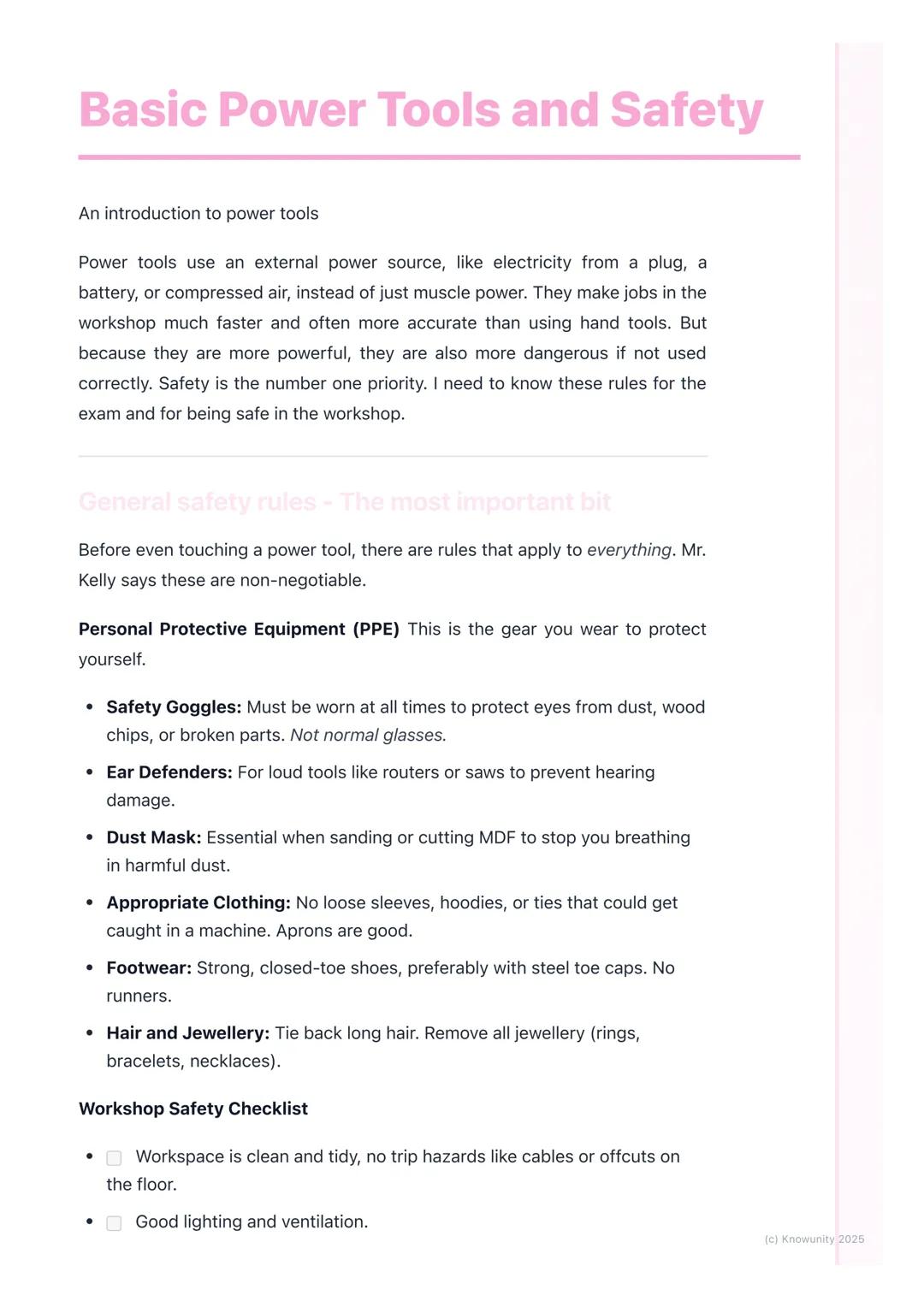
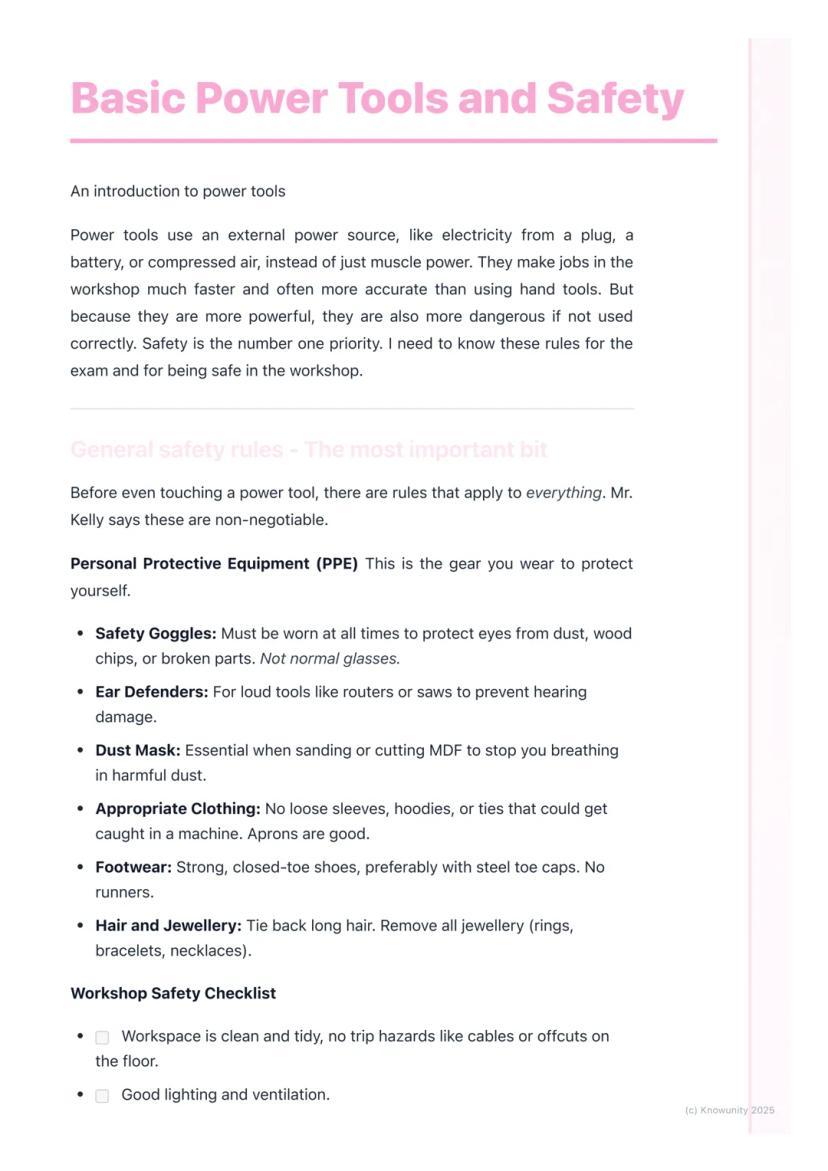
Basic Power Tools and Safety
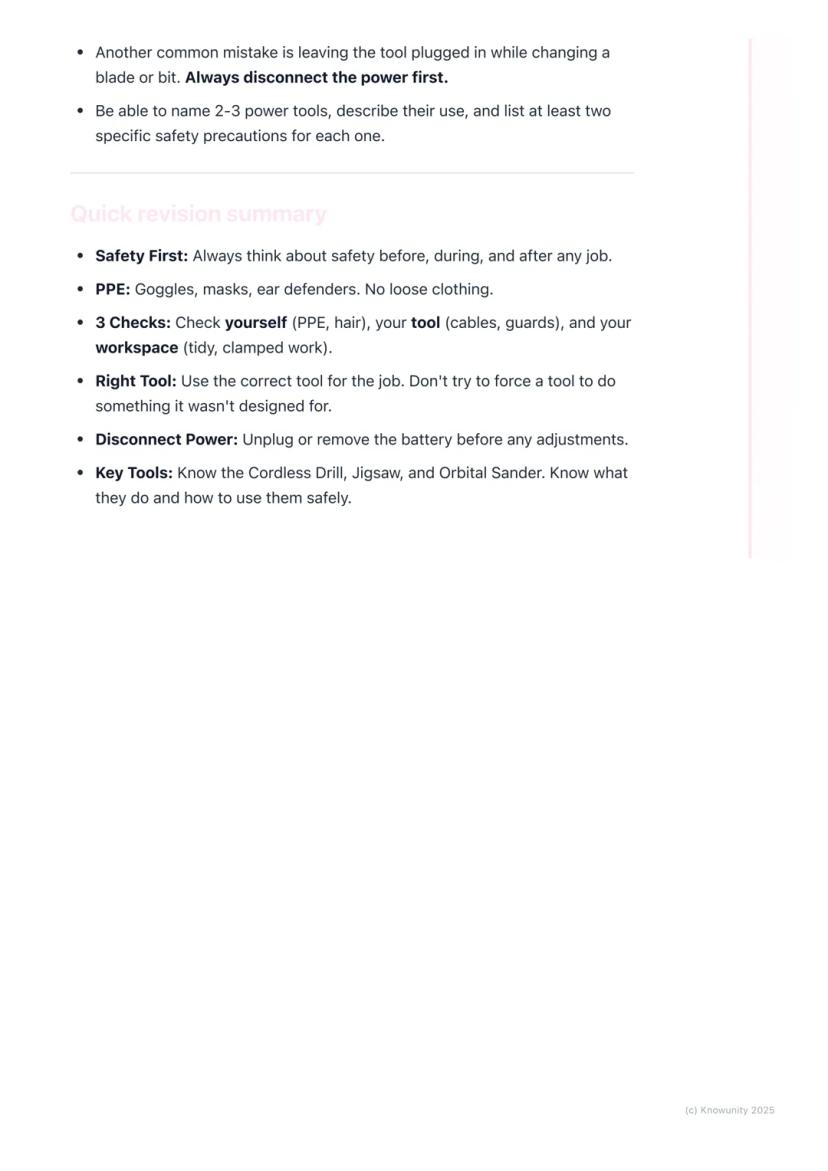
Power tools run on electricity, batteries, or compressed air instead of just muscle power. They're brilliant for getting jobs done quickly and accurately, but they can be dangerous if you're not careful.
Personal Protective Equipment (PPE) is absolutely non-negotiable. You'll need safety goggles (not regular glasses), ear defenders for loud tools, and a dust mask when cutting or sanding. Wear appropriate clothing - no loose sleeves or hoodies that could get caught. Strong, closed-toe shoes are essential, and tie back long hair whilst removing all jewellery.
Your workspace needs to be spotless and well-lit. Know where the emergency stop buttons and fire extinguishers are located. Always clamp your workpiece securely to the bench - never hold small pieces by hand whilst using power tools on them.
Remember: The RCD (Residual Current Device) is a life-saving feature that instantly cuts power if there's an electrical fault, preventing serious electric shocks.
2
of 6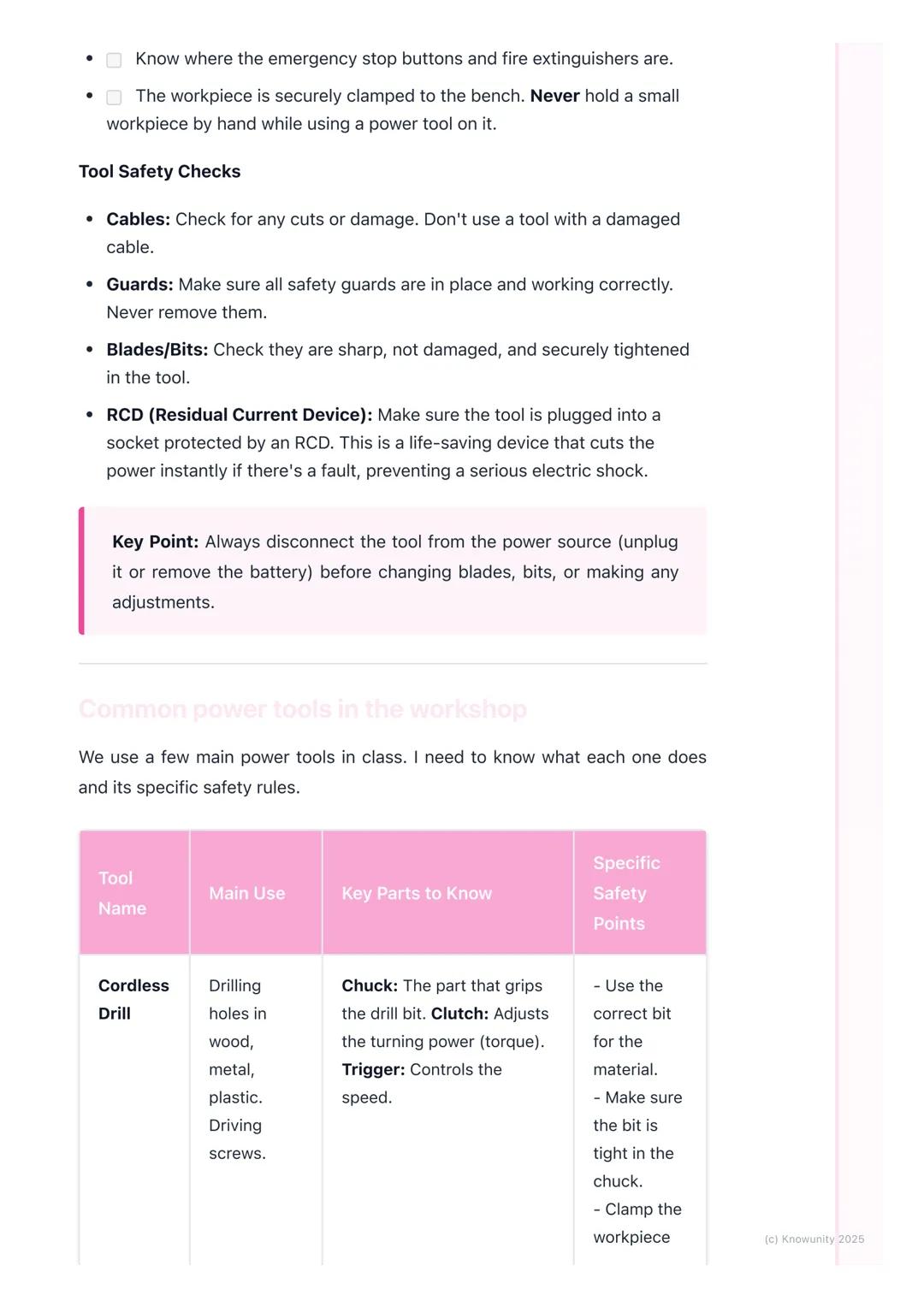
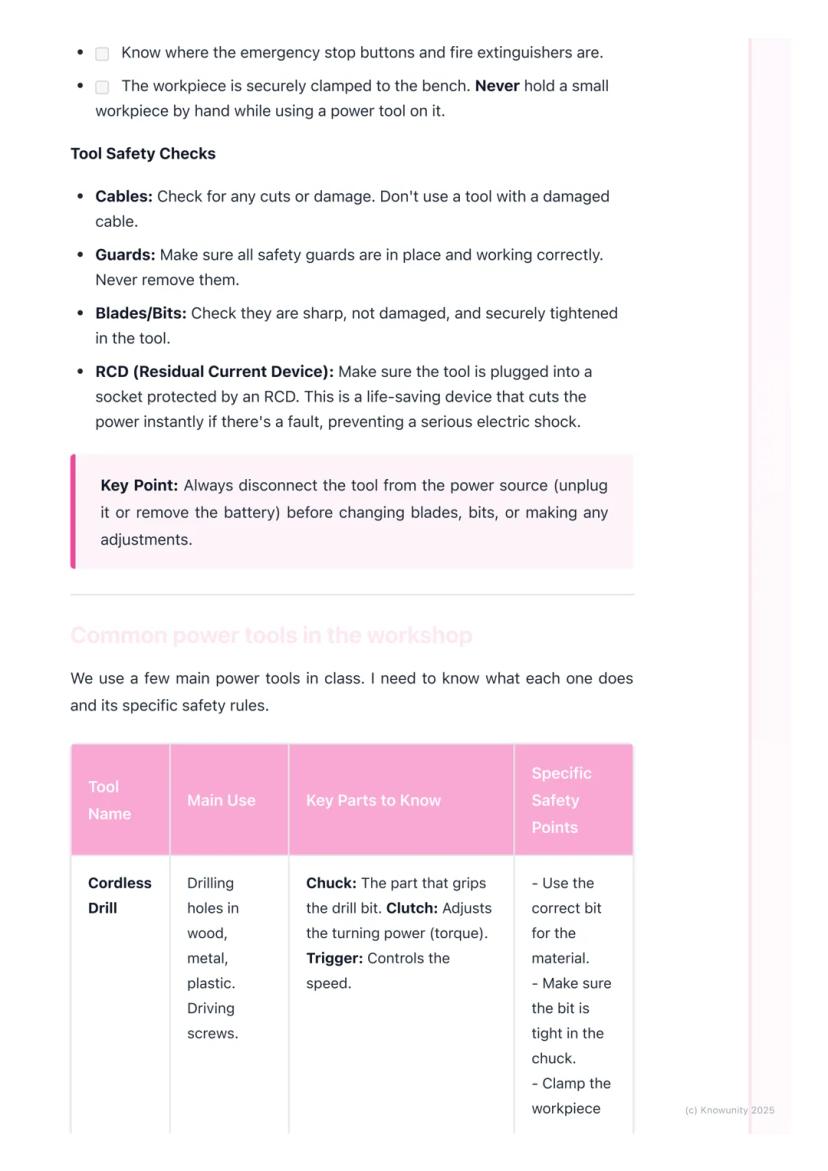
Tool Safety Checks
Before touching any power tool, you need to do essential safety checks. Inspect cables for cuts or damage - never use a tool with a damaged cable. All safety guards must be in place and working properly - never remove them.
Check that blades and bits are sharp, undamaged, and securely tightened. Make sure your tool is plugged into a socket protected by an RCD.
The golden rule is simple: always disconnect the power (unplug or remove the battery) before changing blades, bits, or making any adjustments. This prevents accidental starts that could cause serious injuries.
Key Point: Most workshop accidents happen when people skip the basic safety checks - don't be that person!
3
of 6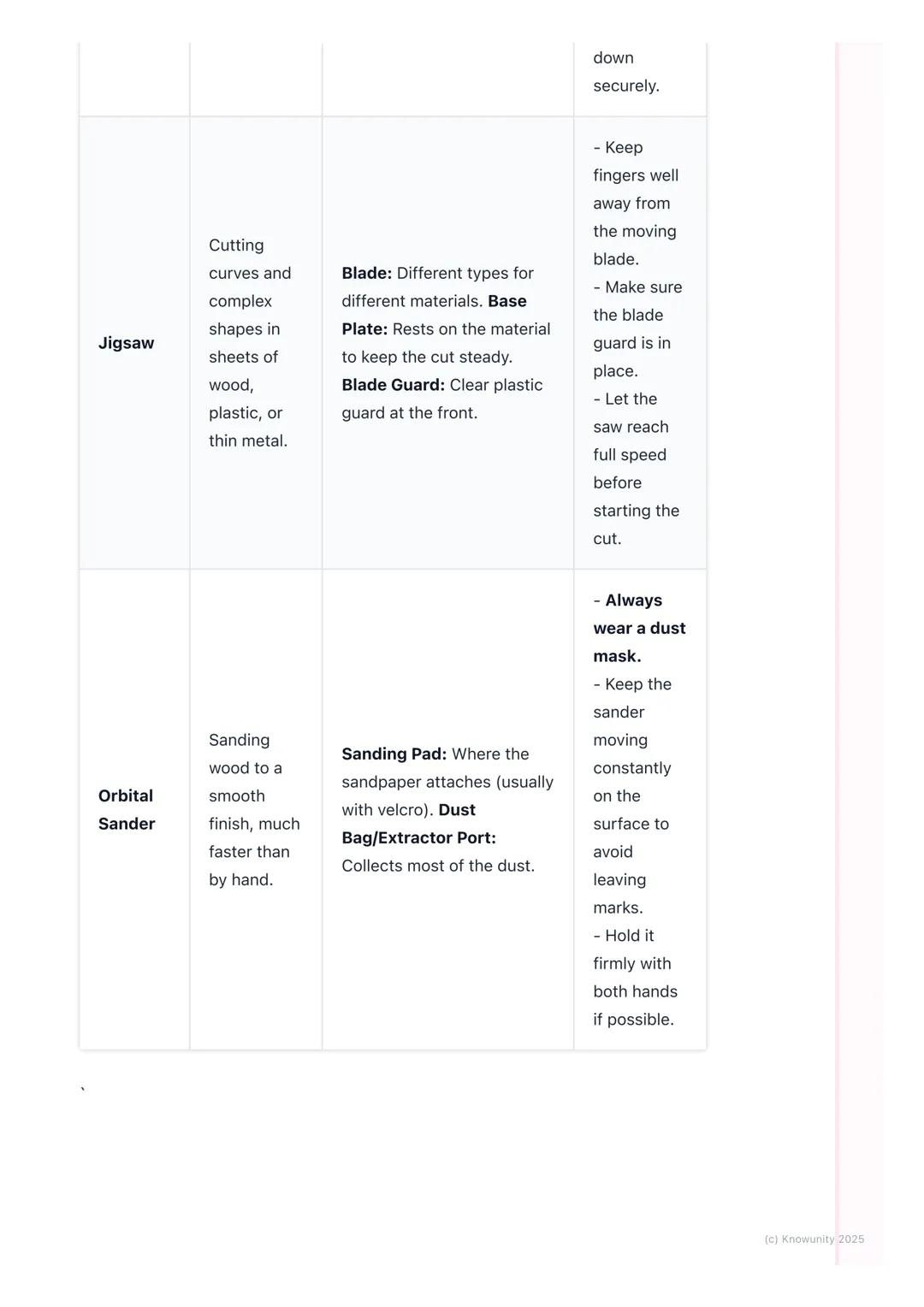
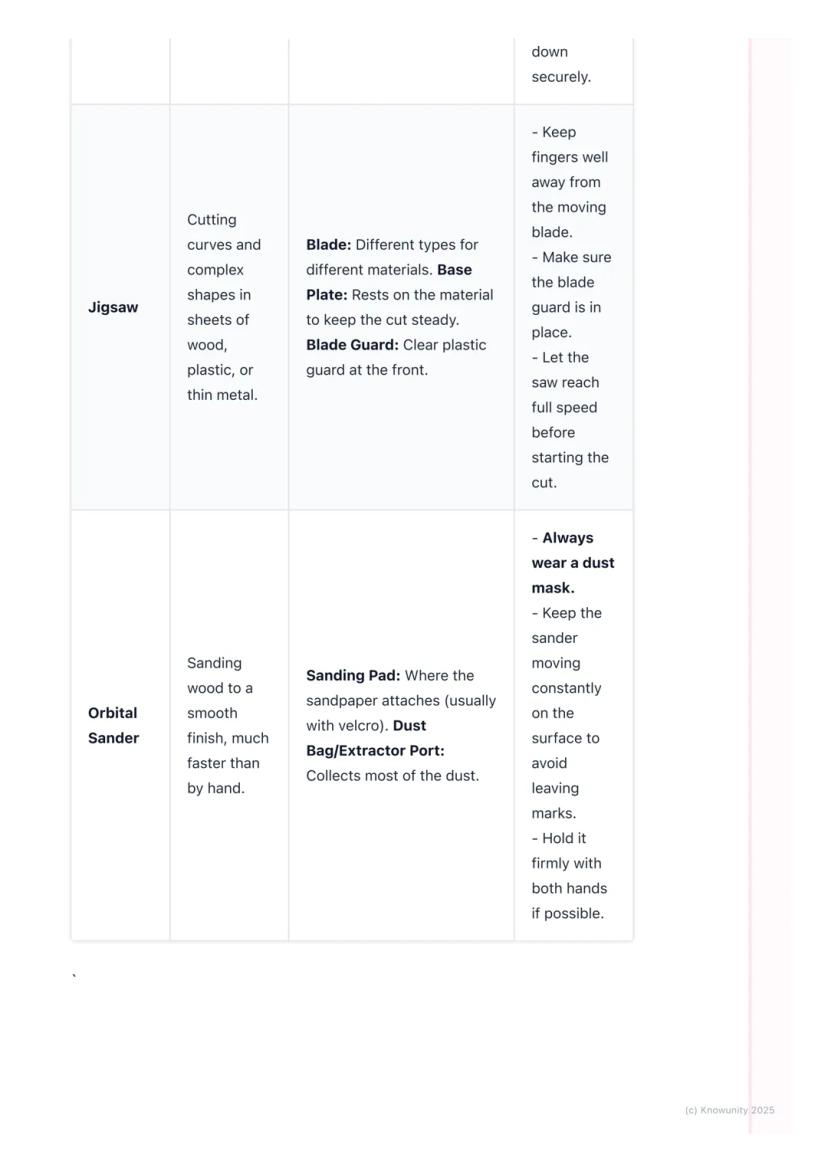
Common Workshop Power Tools
You'll mainly work with three essential power tools. The cordless drill is perfect for drilling holes and driving screws - learn about the chuck (grips the bit), clutch (adjusts turning power), and trigger (controls speed).
The jigsaw cuts curves and complex shapes in wood, plastic, or thin metal. Key parts include the blade (different types for different materials), base plate (keeps cuts steady), and blade guard (clear plastic protection).
The orbital sander smooths wood surfaces much faster than hand sanding. It has a sanding pad where sandpaper attaches and a dust bag to collect most particles.
Safety Tip: Always let jigsaws reach full speed before starting your cut, and keep orbital sanders moving constantly to avoid leaving marks.
4
of 6
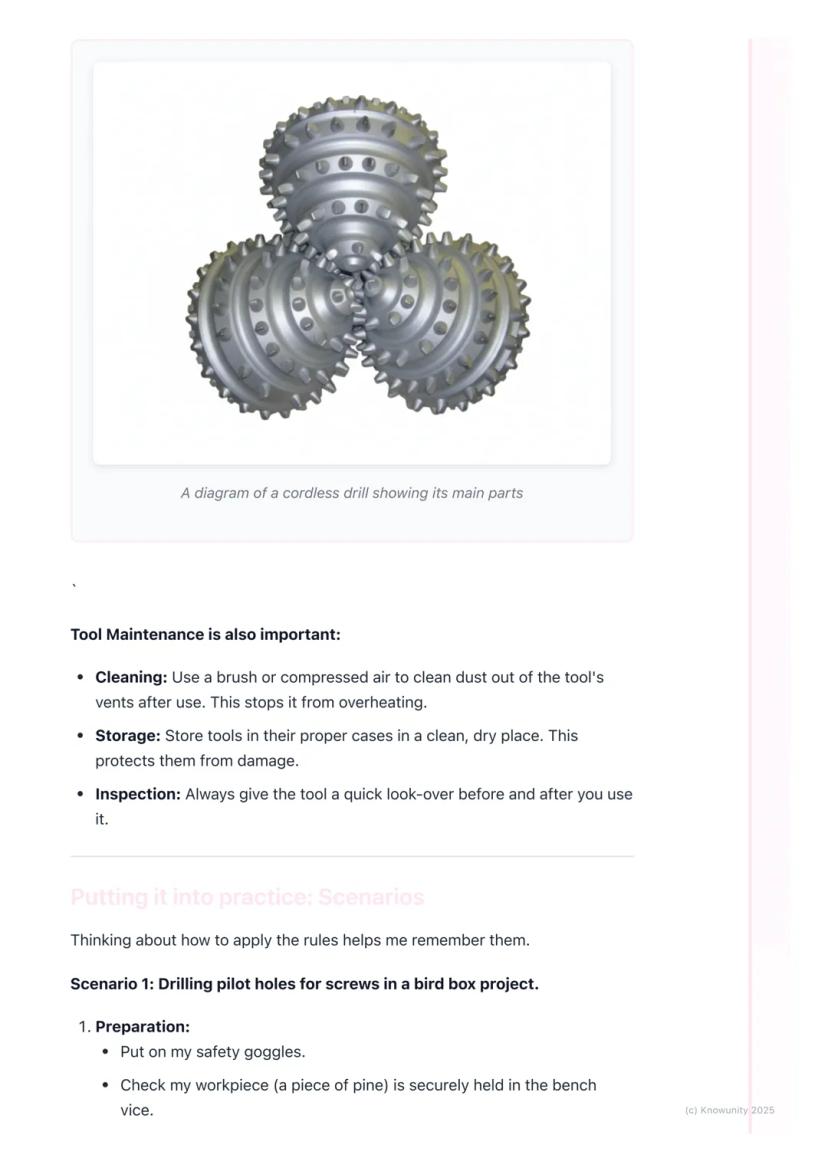
Tool Maintenance and Practical Application
Keep your tools in top condition by cleaning dust from vents with a brush after use - this prevents overheating. Store tools in proper cases in clean, dry places, and always inspect them before and after use.
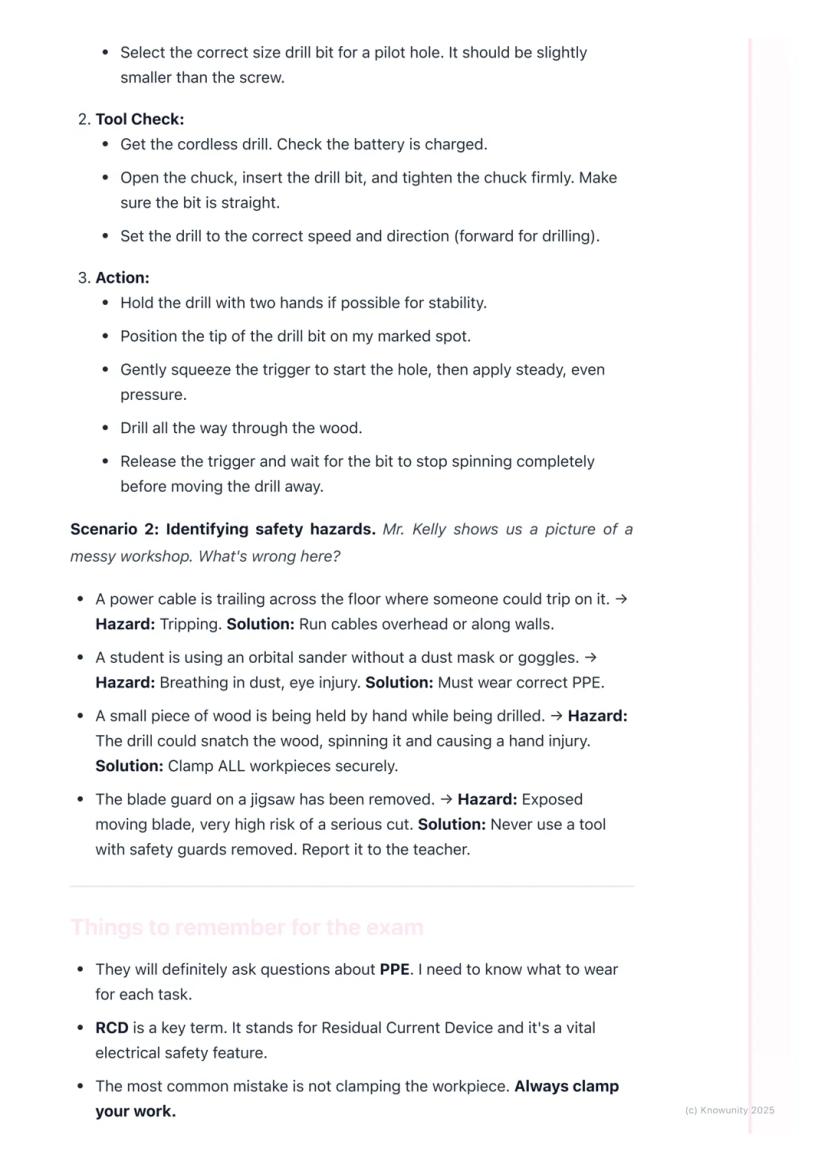
When drilling pilot holes, prepare by putting on safety goggles and securing your workpiece in a bench vice. Select the correct drill bit size (slightly smaller than your screw), check the battery is charged, and tighten the chuck firmly.
Hold the drill with both hands for stability. Position the bit on your marked spot, gently squeeze the trigger to start, then apply steady pressure. Always wait for the bit to stop spinning completely before moving the drill away.
Workshop Wisdom: Taking time to prepare properly always saves time in the long run and prevents accidents.
5
of 6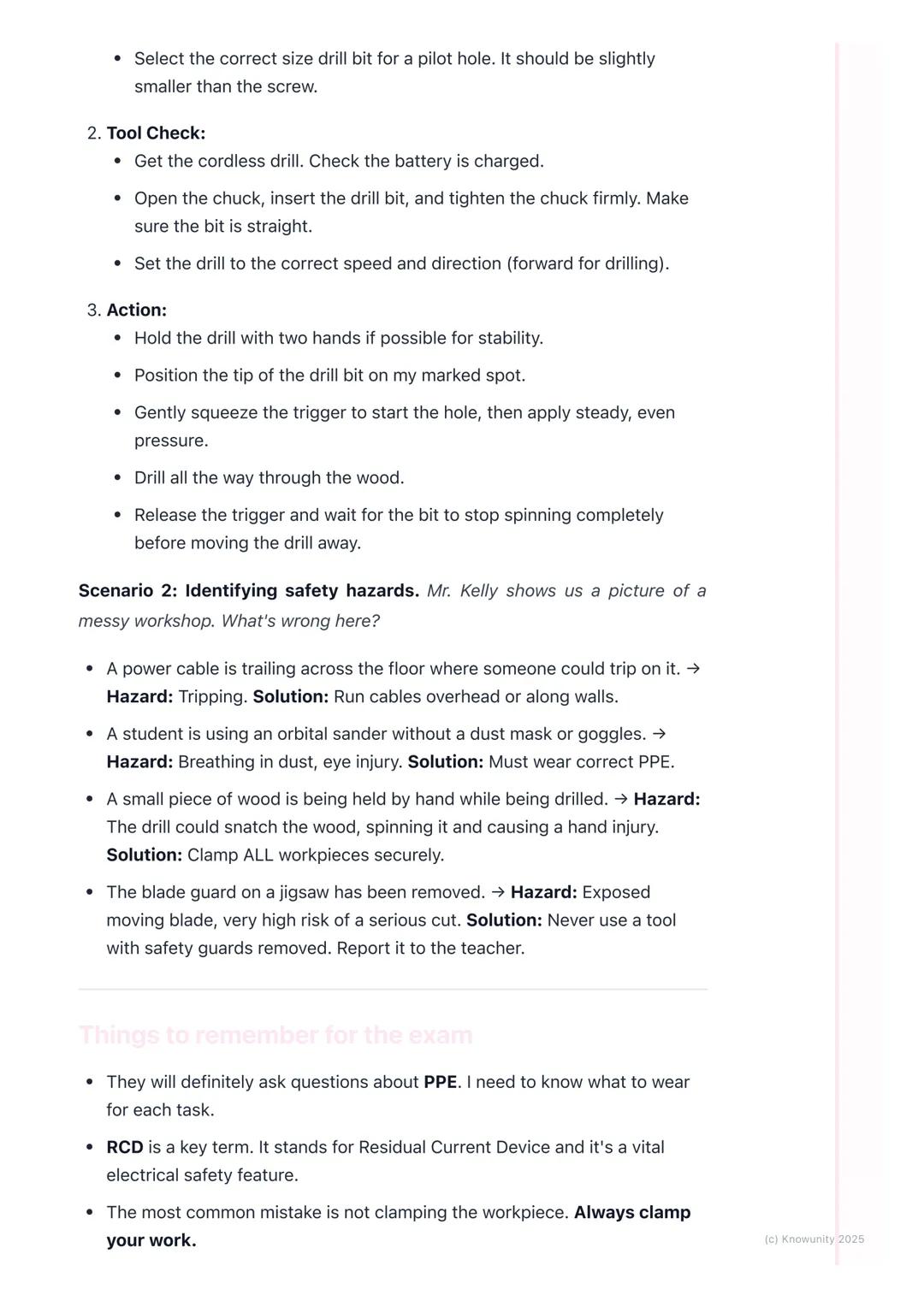
Identifying Safety Hazards
Learning to spot hazards keeps you safe. Trailing cables create tripping hazards - run them overhead or along walls instead. Students using sanders without dust masks or goggles risk breathing problems and eye injuries.
Never hold small pieces by hand whilst drilling - the drill can snatch the wood and spin it, causing hand injuries. Always clamp workpieces securely. If you see a tool with its safety guard removed, don't use it and report it immediately to your teacher.
The most common mistakes include not clamping workpieces and leaving tools plugged in whilst changing blades or bits. These simple errors cause the majority of workshop accidents.
Exam Alert: You'll definitely get questions about PPE and the importance of RCDs - make sure you know what each piece of safety equipment protects against.
6
of 6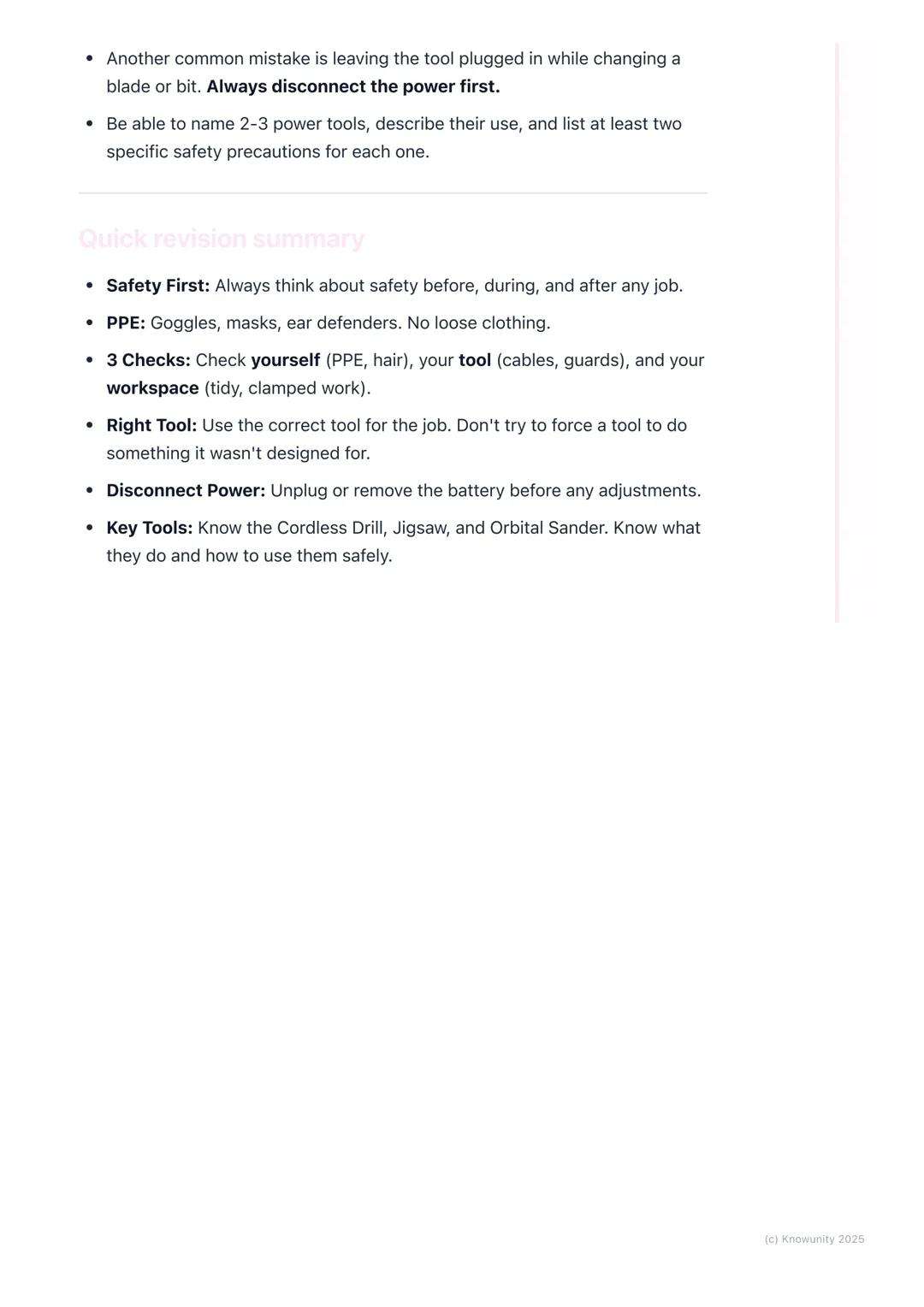
Quick Revision Summary
Remember the three essential checks: yourself (PPE, hair tied back), your tool (cables, guards, sharp bits), and your workspace (tidy, with work clamped securely). Always use the right tool for each job - don't force tools to do things they weren't designed for.
Disconnect power before making any adjustments. Know your three main tools: cordless drill for holes and screws, jigsaw for curves and complex cuts, and orbital sander for smooth finishes.
Safety isn't just about following rules - it's about developing good habits that'll serve you well in any workshop situation. Master these basics now, and you'll be confident using power tools for years to come.
Success Strategy: Practice identifying the specific safety requirements for each tool - this knowledge will boost your exam performance and keep you safe in practical work.
Pensamos que nunca lo preguntarías...
¿Qué es Knowunity AI companion?
Nuestro compañero de IA está específicamente adaptado a las necesidades de los estudiantes. Basándonos en los millones de contenidos que tenemos en la plataforma, podemos dar a los estudiantes respuestas realmente significativas y relevantes. Pero no se trata solo de respuestas, el compañero también guía a los estudiantes a través de sus retos de aprendizaje diarios, con planes de aprendizaje personalizados, cuestionarios o contenidos en el chat y una personalización del 100% basada en las habilidades y el desarrollo de los estudiantes.
¿Dónde puedo descargar la app Knowunity?
Puedes descargar la app en Google Play Store y Apple App Store.
¿Knowunity es totalmente gratuito?
¡Sí lo es! Tienes acceso totalmente gratuito a todo el contenido de la app, puedes chatear con otros alumnos y recibir ayuda inmeditamente. Puedes ganar dinero utilizando la aplicación, que te permitirá acceder a determinadas funciones.
¿No encuentras lo que buscas? Explora otros temas.
Mira lo que dicen nuestros usuarios. Les encantó — y a ti también te encantará.
4.6/5App Store
4.7/5Google Play
La app es muy fácil de usar y está muy bien diseñada. Hasta ahora he encontrado todo lo que estaba buscando y he podido aprender mucho de las presentaciones. Definitivamente utilizaré la aplicación para un examen de clase. Y, por supuesto, también me sirve mucho de inspiración.
Pablousuario de iOS
Esta app es realmente genial. Hay tantos apuntes de clase y ayuda [...]. Tengo problemas con matemáticas, por ejemplo, y la aplicación tiene muchas opciones de ayuda. Gracias a Knowunity, he mejorado en mates. Se la recomiendo a todo el mundo.
Elenausuaria de Android
Vaya, estoy realmente sorprendida. Acabo de probar la app porque la he visto anunciada muchas veces y me he quedado absolutamente alucinada. Esta app es LA AYUDA que quieres para el insti y, sobre todo, ofrece muchísimas cosas, como ejercicios y hojas informativas, que a mí personalmente me han sido MUY útiles.
Anausuaria de iOS
Construction Studies4 visualizaciones·Actualizado May 30, 2026·6 páginasBasic Power Tools: Safety Tips and Maintenance Guide
Power tools are game-changers in the workshop - they make everything faster and more precise than hand tools. But with great power comes great responsibility, and safety must always come first.
1
of 6
Inscríbete para ver los apuntes. ¡Es gratis!
- Acceso a todos los documentos
- Mejora tus notas
- Únete a millones de estudiantes
Basic Power Tools and Safety
Power tools run on electricity, batteries, or compressed air instead of just muscle power. They're brilliant for getting jobs done quickly and accurately, but they can be dangerous if you're not careful.
Personal Protective Equipment (PPE) is absolutely non-negotiable. You'll need safety goggles (not regular glasses), ear defenders for loud tools, and a dust mask when cutting or sanding. Wear appropriate clothing - no loose sleeves or hoodies that could get caught. Strong, closed-toe shoes are essential, and tie back long hair whilst removing all jewellery.
Your workspace needs to be spotless and well-lit. Know where the emergency stop buttons and fire extinguishers are located. Always clamp your workpiece securely to the bench - never hold small pieces by hand whilst using power tools on them.
Remember: The RCD (Residual Current Device) is a life-saving feature that instantly cuts power if there's an electrical fault, preventing serious electric shocks.
2
of 6Inscríbete para ver los apuntes. ¡Es gratis!
- Acceso a todos los documentos
- Mejora tus notas
- Únete a millones de estudiantes
Tool Safety Checks
Before touching any power tool, you need to do essential safety checks. Inspect cables for cuts or damage - never use a tool with a damaged cable. All safety guards must be in place and working properly - never remove them.
Check that blades and bits are sharp, undamaged, and securely tightened. Make sure your tool is plugged into a socket protected by an RCD.
The golden rule is simple: always disconnect the power (unplug or remove the battery) before changing blades, bits, or making any adjustments. This prevents accidental starts that could cause serious injuries.
Key Point: Most workshop accidents happen when people skip the basic safety checks - don't be that person!
3
of 6Inscríbete para ver los apuntes. ¡Es gratis!
- Acceso a todos los documentos
- Mejora tus notas
- Únete a millones de estudiantes
Common Workshop Power Tools
You'll mainly work with three essential power tools. The cordless drill is perfect for drilling holes and driving screws - learn about the chuck (grips the bit), clutch (adjusts turning power), and trigger (controls speed).
The jigsaw cuts curves and complex shapes in wood, plastic, or thin metal. Key parts include the blade (different types for different materials), base plate (keeps cuts steady), and blade guard (clear plastic protection).
The orbital sander smooths wood surfaces much faster than hand sanding. It has a sanding pad where sandpaper attaches and a dust bag to collect most particles.
Safety Tip: Always let jigsaws reach full speed before starting your cut, and keep orbital sanders moving constantly to avoid leaving marks.
4
of 6Inscríbete para ver los apuntes. ¡Es gratis!
- Acceso a todos los documentos
- Mejora tus notas
- Únete a millones de estudiantes
Tool Maintenance and Practical Application
Keep your tools in top condition by cleaning dust from vents with a brush after use - this prevents overheating. Store tools in proper cases in clean, dry places, and always inspect them before and after use.
When drilling pilot holes, prepare by putting on safety goggles and securing your workpiece in a bench vice. Select the correct drill bit size (slightly smaller than your screw), check the battery is charged, and tighten the chuck firmly.
Hold the drill with both hands for stability. Position the bit on your marked spot, gently squeeze the trigger to start, then apply steady pressure. Always wait for the bit to stop spinning completely before moving the drill away.
Workshop Wisdom: Taking time to prepare properly always saves time in the long run and prevents accidents.
5
of 6Inscríbete para ver los apuntes. ¡Es gratis!
- Acceso a todos los documentos
- Mejora tus notas
- Únete a millones de estudiantes
Identifying Safety Hazards
Learning to spot hazards keeps you safe. Trailing cables create tripping hazards - run them overhead or along walls instead. Students using sanders without dust masks or goggles risk breathing problems and eye injuries.
Never hold small pieces by hand whilst drilling - the drill can snatch the wood and spin it, causing hand injuries. Always clamp workpieces securely. If you see a tool with its safety guard removed, don't use it and report it immediately to your teacher.
The most common mistakes include not clamping workpieces and leaving tools plugged in whilst changing blades or bits. These simple errors cause the majority of workshop accidents.
Exam Alert: You'll definitely get questions about PPE and the importance of RCDs - make sure you know what each piece of safety equipment protects against.
6
of 6Inscríbete para ver los apuntes. ¡Es gratis!
- Acceso a todos los documentos
- Mejora tus notas
- Únete a millones de estudiantes
Quick Revision Summary
Remember the three essential checks: yourself (PPE, hair tied back), your tool (cables, guards, sharp bits), and your workspace (tidy, with work clamped securely). Always use the right tool for each job - don't force tools to do things they weren't designed for.
Disconnect power before making any adjustments. Know your three main tools: cordless drill for holes and screws, jigsaw for curves and complex cuts, and orbital sander for smooth finishes.
Safety isn't just about following rules - it's about developing good habits that'll serve you well in any workshop situation. Master these basics now, and you'll be confident using power tools for years to come.
Success Strategy: Practice identifying the specific safety requirements for each tool - this knowledge will boost your exam performance and keep you safe in practical work.
Pensamos que nunca lo preguntarías...
¿Qué es Knowunity AI companion?
Nuestro compañero de IA está específicamente adaptado a las necesidades de los estudiantes. Basándonos en los millones de contenidos que tenemos en la plataforma, podemos dar a los estudiantes respuestas realmente significativas y relevantes. Pero no se trata solo de respuestas, el compañero también guía a los estudiantes a través de sus retos de aprendizaje diarios, con planes de aprendizaje personalizados, cuestionarios o contenidos en el chat y una personalización del 100% basada en las habilidades y el desarrollo de los estudiantes.
¿Dónde puedo descargar la app Knowunity?
Puedes descargar la app en Google Play Store y Apple App Store.
¿Knowunity es totalmente gratuito?
¡Sí lo es! Tienes acceso totalmente gratuito a todo el contenido de la app, puedes chatear con otros alumnos y recibir ayuda inmeditamente. Puedes ganar dinero utilizando la aplicación, que te permitirá acceder a determinadas funciones.
¿No encuentras lo que buscas? Explora otros temas.
Mira lo que dicen nuestros usuarios. Les encantó — y a ti también te encantará.
4.6/5App Store
4.7/5Google Play
La app es muy fácil de usar y está muy bien diseñada. Hasta ahora he encontrado todo lo que estaba buscando y he podido aprender mucho de las presentaciones. Definitivamente utilizaré la aplicación para un examen de clase. Y, por supuesto, también me sirve mucho de inspiración.
Pablousuario de iOS
Esta app es realmente genial. Hay tantos apuntes de clase y ayuda [...]. Tengo problemas con matemáticas, por ejemplo, y la aplicación tiene muchas opciones de ayuda. Gracias a Knowunity, he mejorado en mates. Se la recomiendo a todo el mundo.
Elenausuaria de Android
Vaya, estoy realmente sorprendida. Acabo de probar la app porque la he visto anunciada muchas veces y me he quedado absolutamente alucinada. Esta app es LA AYUDA que quieres para el insti y, sobre todo, ofrece muchísimas cosas, como ejercicios y hojas informativas, que a mí personalmente me han sido MUY útiles.
Anausuaria de iOS